How to Get Your Refund
Your Refund – Your Way
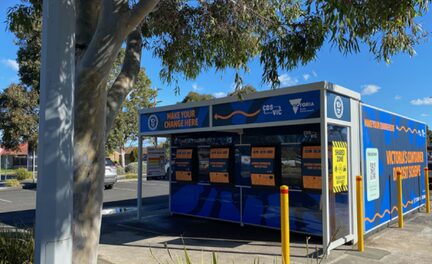
1. Return containers
Recycle your bottles, cans and cartons at any Reverse Vending Machine.
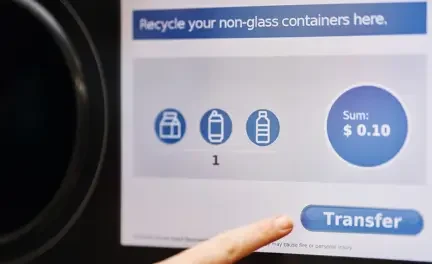
2.Choose refund type
There are multiple ways to receive your 10-cent refund. Choose a printed voucher to redeem for cash or a discount on your groceries or download the CDS VIC West app to access digital e-vouchers, direct transfer to your nominated bank account or PayPal or donate to a charity of your choice.
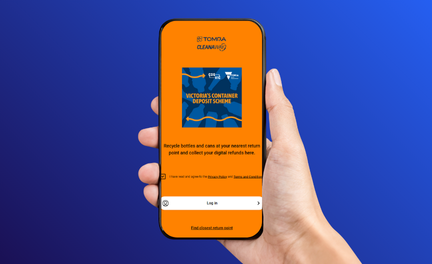
3. Using the app?
The CDS VIC West app makes recycling even easier. Get your refunds digitally, find your nearest refund point, check if a container is eligible, choose your favourite charity to donate to and so much more. Download HERE today.
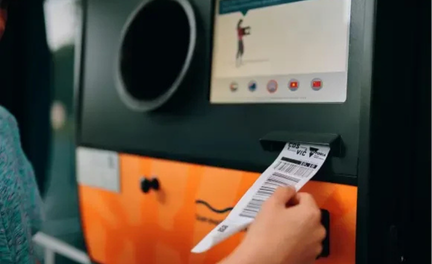
4. Get your Refund
Each Reverse Vending Machine is linked to a specific redemption partner – Coles, Woolworths, or an independent retailer. The easiest way to identify your redemption partner is by the logo displayed at the top of your physical or digital voucher.

Bank Transfer
- Download the CDS Vic West app here, select Bank Transfer as your payout method and link to your bank account.
- Scan your app barcode at the machine before you start your session.
- Insert your containers and select Payout when you’re done. You should receive your refund within 1 business day

PayPal
- Download the CDS VIC West app, select Paypal as your payout method and link to your Paypal account.
- Scan your app barcode at the machine before you start your session.
- Insert your containers and select Payout when you’re done. You should receive your refund within 1 business day.

Charity Donation
- Download the app, select “Charities” to find a donation partner, set your chosen donation partner as your payout method, and scan your barcode at the RVM.
- Insert your eligible drink containers. Press “Transfer” on the screen to confirm your donation.
- 100% of your donation goes to the selected charity.

Cash Voucher
- You can use your personal CDS Vic West app to store your vouchers digitally. Simply set E-voucher as your payout method. This is also the default setting for the app.
- Scan the barcode before you start your session.
- Insert your containers and select “Payout” on the screen when you’re done.
Frequently Asked Questions
How long does a digital refund take?
TOMRA refunds, whether through bank transfer, PayPal, or cash, typically take one business day to process. This means if you recycle on Monday, you should expect the refund in your account by Tuesday.
Do you save my bank details?
We do not collect data such as usernames and passwords used to log into your online banking. The details of your preferred bank account remain in the app so that you don’t have to repeatedly connect your bank account.
To remove your bank account details from your account click the ‘More’ button at the top right of the home screen of your app, select ‘Edit Payout Methods’ and then select ‘Remove’ under your bank account details.
How long does it take for money to arrive in my account?
Your refund will take one banking day to arrive in your account. Banking days are generally the same as business days.
How do I change my default method on the app?
In the middle of the home screen, you will see “Your active payout” which will either state “PayPal”, “Digital Voucher”, “Bank transfer” or a campaign name.
By clicking on this white box, you will open up a list of all payout methods available. Here you can select to add your bank account to set up direct bank transfers.