How to get your refund
Your refund – your way

Cash Voucher
- Insert containers
- Select ‘Voucher‘ when finished
- You’ll recieve a voucher to redeem at either Woolworths, Coles (check voucher for redemption partner)

Bank Transfer
- Download the Containers for Change app and select Bank Transfer as your payout method.
- Enter your account details and save your preferred payment method.
- Scan your member barcode at the machine before returning your containers.
Your refund will be transferred to your nominated bank account within 1 business day.

PayPal
- Download the Containers for Change app and select PayPal as your payout method.
- Log in to your PayPal account and link it to your Containers for Change member number.
- Scan your barcode before returning your containers.
- Your refund will appear in your PayPal account within 1 business day.

Charity Donation
- Choose a cause from the Directory of Good causes
- Scan the causes’ barcode at the machine before returning your containers
- Select ‘Payout‘ when finished. The charity will recieve 100% of your refund
Go paperless – get refunded into your bank account!
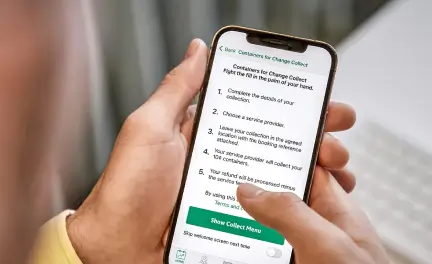
1. Register for Member Number
Visit the Containers For Change website to sign up.
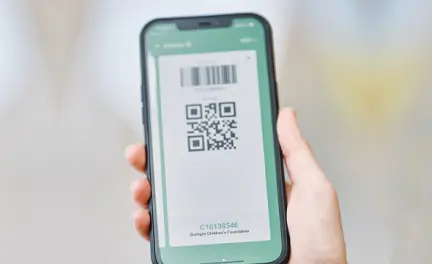
2. Get Barcode
From your confirmation email, save your member number barcode to your mobile wallet.
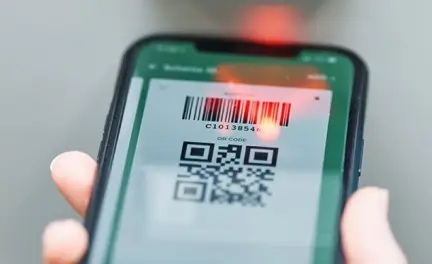
3. Scan and Return
Scan your barcode at any TOMRA Kiosk or Recycling Centre before returning containers.
4. Get your Refund
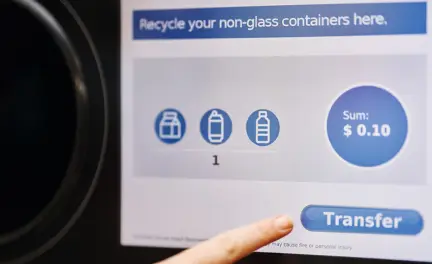
You will instantly receive an email confirmation. Your refund will be transferred to your nominated bank or PayPal account within one business day.
How to get your member number
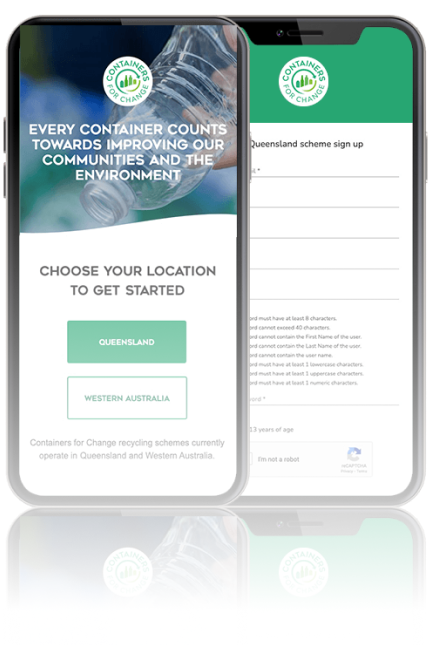
You can sign up for your member number here.
Make sure you keep your barcode in a safe place. We recommend logging into the Containers for Change app so it’s always at your fingertips! Alterntively, you can take a screenshot, save it to your digital wallet, or even print it!
Frequently Asked Questions
How long does a digital refund take?
TOMRA refunds, whether through bank transfer, PayPal, or cash, typically take one business day to process. This means if you recycle on Monday, you should expect the refund in your account by Tuesday. If you register for a Containers for Change ID or set your preferred payout method to bank transfer in the Return and Earn app, your refund will be transferred to your bank account within one business day.
Where can I return my containers?
TOMRA has more than 39 return points throughout South East QLD. Our Self-Serve Kiosks are conveniently located in the carparks of shopping centres so you can return on the go! We have 10 large Recycling Centres across Brisbane, Gold Coast, Sunshine Coast and Toowoomba – all with friendly staff, Reverse Vending Machines and the additional capacity to process large volumes through our Express Bag Drop service. To find your nearest return point here.
There is an issue claiming my refund, how do I chase this?
You can contact our hotline on 1300 11 88 88 – our dedicated team of customer service professionals will work with you to ensure that your refund is recognised.
How do I get refund in my paypal account?
To get your refund directly into your PayPal account, first register for a Containers for Change Member number here.
Choose the “PayPal” option if you wish to receive your refunds as deposits into your PayPal account. To link your PayPal to your Containers for Change member number account, you’ll be prompted to log in to PayPal. Once you have logged in and linked both accounts, check the box “Make this my preferred payment method” to set it.
At the RVM, scan your member number barcode before returning your containers. Your refund will be transferred to your PayPal account within 1 business day.