How to get your return
Your refund – your way
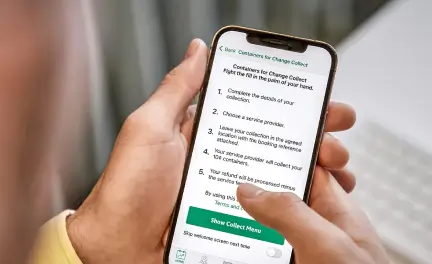
1. Download App
Download the Return and Earn app via iTunes or Google Play. Select “Login” and register with your email or log in using your existing PayPal account.
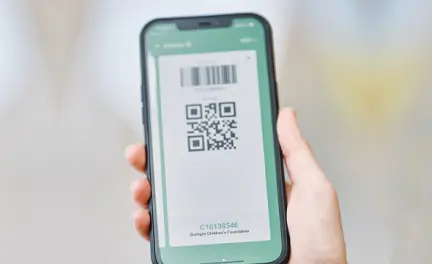
2. Get Barcode
Choose your preferred payout method in the menu – link your PayPal or bank account for fast refunds.
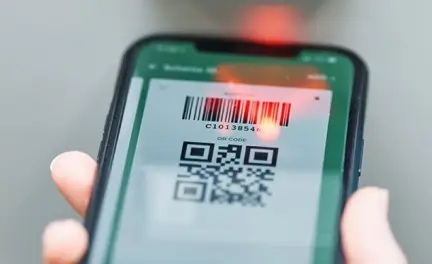
3. Scan and Return
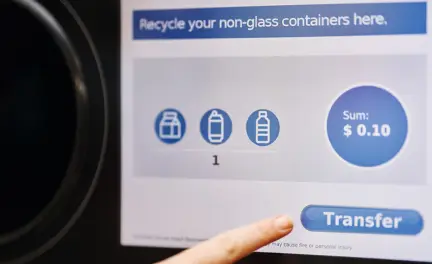
At any TOMRA Cleanaway Return Point in NSW, scan your personal app barcode on the reverse vending machine (RVM). Your name will appear on the screen. Return your empty containers.
4. Get your Refund
You will instantly receive an email confirmation. Your refund will be transferred to your nominated bank or PayPal account within one business day.

Bank Transfer
- Download the Return and Earn app, select Bank Transfer as your payout method and link to your bank account.
- Scan your app barcode at the machine before you start your session.
- Insert your containers and select Payout when you’re done. You should receive your refund within 1 business day.

PayPal
- Download the Return and Earn app, select PayPal as your payout method and link to your PayPal account.
- Scan your app barcode at the machine before you start your session.
- Insert your containers and select Payout when you’re done. You should receive your refund within 1 business day.

Charity Donation
- You can donate via the app. Just download the app, select Charity Donation as your payout method, and choose your preferred charity.
- Scan the barcode before you start your session.
- Insert your containers and select Payout on the screen when you’re done. The charity will receive 100% of your donated refund within 1 week.

Cash Voucher
- You can use your personal Return and Earn app to store your vouchers digitally. Simply set Evoucher as your payout method. This is also the default setting for the app.
- Scan the barcode before you start your session.
- Insert your containers and select Payout on the screen when you’re done.
Frequently Asked Questions
How long does a digital refund take?
TOMRA refunds, whether through bank transfer, PayPal, or cash, typically take one business day to process. This means if you recycle on Monday, you should expect the refund in your account by Tuesday. If you register for a Containers for Change ID or set your preferred payout method to bank transfer in the Return and Earn app, your refund will be transferred to your bank account within one business day.
How can I claim, print, or redeem my refund voucher?
You can receive your refund as either an E-voucher or a print voucher, depending on your preference. To claim your refund through an E-voucher, download the Return and Earn app, sign in or register an account, and then scan your barcode before returning your containers at a Reverse Vending Machine. Your refund will be issued automatically as an E-voucher. Please note that E-vouchers are only available through Reverse Vending Machines. If you prefer a print voucher, simply return your containers at a Reverse Vending Machine and select the “Voucher” option at the end of your session. To redeem your voucher, visit the redemption partner listed at the top of your printed voucher. Vouchers can be redeemed for cash or used as payment toward your shopping, but are not available for online purchases.
How can I donate my refund to charity?
It’s easy to donate your refund to a charity, school, or community group. After returning your containers at a Reverse Vending Machine, select the “Donate” option at the end of your session. You’ll see a list of registered organisations — simply choose your preferred one and press “Confirm” to complete your donation.100% of your donation amount will go directly to the selected charity.
How do I change my default method on the app?
In the middle of the home screen, you will see “Your active payout” which will either state “PayPal”, “Digital Voucher” or a campaign name.
By clicking on this white box, you will open up a list of all payout methods available. Here you can select to add your bank account to set up direct bank transfers.